
Play your Emby server on an Android phone or tablet
Emby’s feature matrix, read on 2026-10-18, lists playback in its mobile apps for iOS and Android as “Limited Playback (one-minute only)” on Free, and “Full Playback” with App Unlock or Emby Premiere. On Android on a TV or Fire TV, the same page lists full playback as free, for up to 5 TV devices.
Yonto Player on an Android phone or tablet plays your Emby server’s films and series all the way through, as your first source, free. Free limits how many sources you have, not how long a video plays.
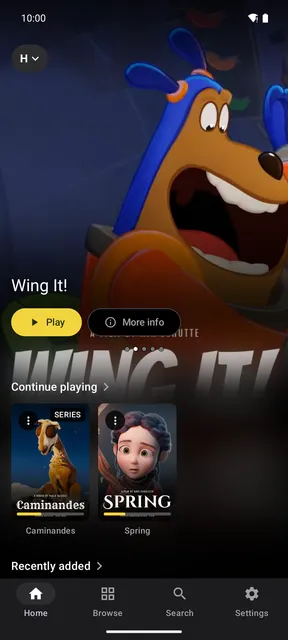
Add your Emby server
Section titled “Add your Emby server”- Install Yonto Player from the download page and open it.
- Tap Settings, then Sources, then Add source. On Home, the demo library’s card has an Add source button too.
- Tap Add Emby in the Media servers group.
- Fill in the Server URL, like
http://192.168.1.20:8096, and your Username and Password. With no port and nohttps://, Yonto Player also tries Emby’s own port, 8096. - Tap Test connection, and when it says “Connected successfully”, tap Save.
Yonto Player signs in with the server’s own users, any account on it, not with Emby Connect.
If the server’s administrator gave you an API key and user ID, fill in API key and User ID in place of the username and password.
An address that ends in /emby works as it is.
The username and password are sent only to your server, and stay on the device; with Sync on, they reach your other devices too, encrypted so only they can read them.
What Yonto Player shows from Emby
Section titled “What Yonto Player shows from Emby”- Your film and TV series libraries, each under the name it has on your server, with posters and backdrops. In Browse, a library can be narrowed by type, genre and year, and sorted by when a title was added, its title, year or rating; on Home each library shows what was added last first, and a series moves up when a new episode arrives.
- A title’s page: its description, genres, year and age rating.
- A series’ episodes, grouped by season and numbered like S1E01. When an episode ends, the next one starts after a countdown.
- Search, across the films and series your account can see on the server.
- Downloads: a film or an episode can be downloaded to watch offline, with Yonto Pro.
- The banner at the top of Home: it leads with your best-rated films and series, by the community rating Emby holds for them.
Yonto Player plays the file as your server stores it, and when the phone cannot play it as it is, the server converts it while you watch; Let the server convert videos in the source’s editor turns that off. Audio and subtitles, the subtitles button at the top of the player, lists the audio tracks and the subtitles inside the file. Where the phone has no decoder for AC3, E-AC-3, DTS or TrueHD sound, Yonto Player decodes it itself (DTS, TrueHD and Dolby audio).
What it does not do
Section titled “What it does not do”Emby’s own app does things Yonto Player does not: Emby’s page lists camera upload, live TV and Android Auto among its mobile app’s features. If you use those, Emby’s app is the one for them.
- HDR is tone-mapped only with Emby Premiere. Without it, an HDR file the screen cannot show plays as stored unless it needs converting anyway, and then its colours are left as they are. Nothing makes a file smaller for a slow connection.
- Films and TV series only. Only film and TV series libraries are listed: music, photos and live TV do not appear.
- No camera upload and no Android Auto. Yonto Player plays video on the phone or tablet itself.
What Yonto Player does not do lists the rest.
Free or Pro
Section titled “Free or Pro”Your Emby server is free as your first source, the whole player with it. A second source, such as another Emby server or account, a Plex server or a NAS share, needs Pro, and so does installing a plugin. On our website Pro is US$7.47 instead of US$14.95 while the offer runs, until December 31, 2026, one payment, not a subscription. One licence works on up to 5 devices at a time, across every Yonto Player app: TVs, phones and tablets together (Devices). In the app on Android TV and Android phones and tablets, you can try Pro free for 7 days, once per device, with no payment details, and it ends on its own.
The same server on your TV
Section titled “The same server on your TV”The Android TV app plays the same Emby server with the remote, and one Pro covers the phone and the TV together. On the TV, Set up from your phone shows a QR code, so you type the address and password on your phone instead of with the remote (Add your Emby server on Android TV). Each device keeps its own Continue playing and History (History on your TV and phone).
Your media server and NAS on an Android phone or tablet says what else the phone and tablet app plays, and Troubleshooting lists every message the app shows.
Yonto Player provides no content. Emby, Emby Premiere, Android Auto, Dolby and DTS are trademarks of their owners, and Yonto Player is not affiliated with or endorsed by them.