
How to name movie and TV show files
Yonto Player makes a library of Films and Series from your file and folder names, with no media server, on every files source: an SMB or WebDAV share on a NAS, a USB drive, a folder on the device, or a cloud drive. This page says which names it reads, with folder trees to copy. Names that follow the Plex, Jellyfin, Emby or Kodi conventions mostly work as they are; the exceptions are below. Adding the source and browsing it is in Play video files from a NAS or USB drive on Android TV. What else the library does is in A media library app for your own movies and TV shows.
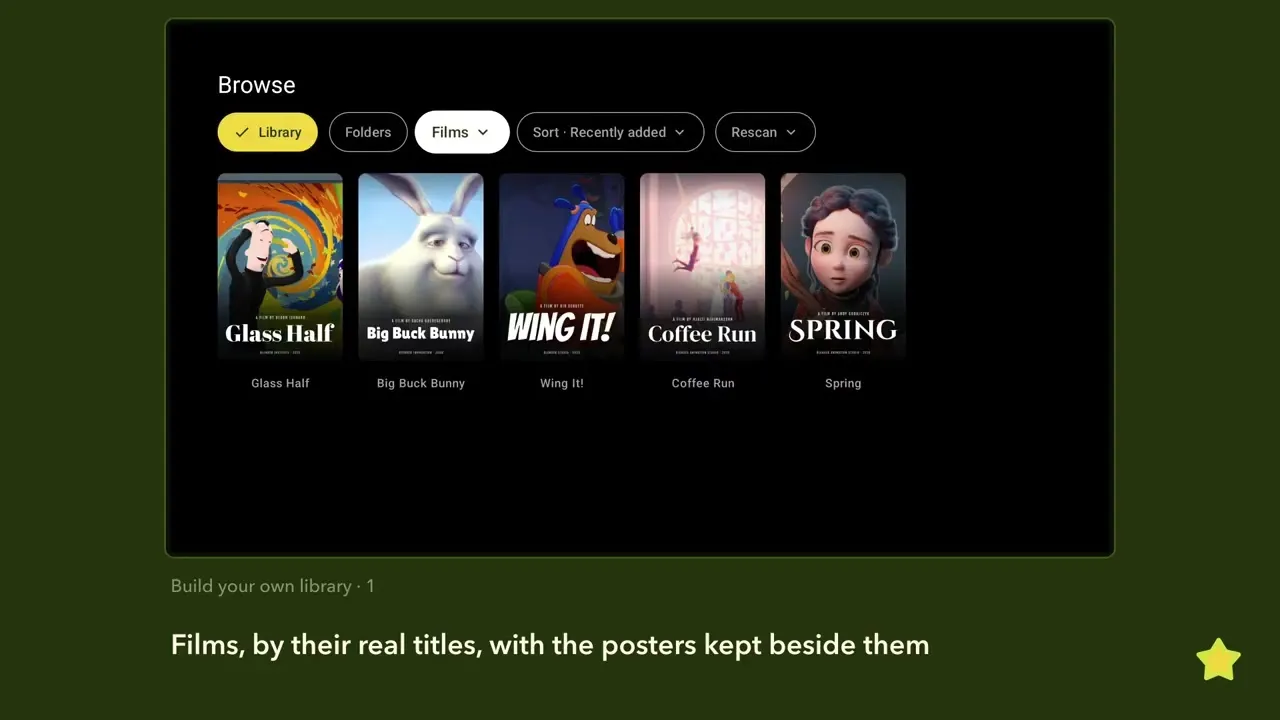
The short version
Section titled “The short version”Movies/ Heat (1995)/ Heat (1995).mkv Dune (2021) {tmdb-438631}/ Dune (2021).mkvTV Shows/ Breaking Bad (2008)/ Season 01/ Breaking Bad - S01E01 - Pilot.mkv Breaking Bad - S01E02.mkv Specials/ Breaking Bad - S00E01.mkvAnime/ One Piece/ One Piece - E1070.mkv One Piece - E1071.mkv- A title, then the year in brackets, for a film’s file or folder and for a show’s folder.
- A folder per season, and the season and episode in every episode’s name.
- The top folders (
Movies,TV Shows,Anime) can be called anything, or left out.
Movies/ Heat (1995)/ Heat.1995.1080p.BluRay.x264-GRP.mkv Alien (1979)/ movie.mkv Avatar (2009)/ Avatar (2009).mkv Avatar (2009) Extended Edition.mkv Dune (2021)/ Dune.CD1.mkv Dune.CD2.mkv Se7en (1995).iso- The title and year come from the file’s name, or from its folder when the file says nothing (
movie.mkv,video.mkv). The year can be in brackets,Heat (1995)orHeat [1995], or between dots,Heat.1995. - Quality and release tags are ignored, and the title ends where the first of them starts: resolutions (
1080p,2160p), sources (BluRay,WEB-DL,HDTV,REMUX), codecs (x264,x265,HEVC,AV1), audio (DTS,TrueHD,Atmos,AAC),HDR,DV,4K,10bit, language tags, and the release group after a hyphen. A website in front of a name (www.example.com -) is dropped too. - An edition (
Extended Edition,Director's Cut,Theatrical Cut) is not part of the title, so two cuts of one film are one film with two files. - A film split into parts is one film when the parts are named
CD1,CD2,Disc 1,part1orpt2, or sit inDisc 1andDisc 2folders. A spacedPart 1stays in the title, since it is part of names like Deathly Hallows Part 1. - A disc image, an
.isofile, is a film too. AVIDEO_TSorBDMVfolder never names a title, so amovie.mkvinside one counts for the film folder above it; the.voband.m2tsfiles of a copied disc are not read as the film. - A title that is a number or a year (
300,1917,2001 A Space Odyssey) is kept as the title. Add the year after it,1917 (2019), so it is matched to the right film.
TV shows
Section titled “TV shows”TV Shows/ The Office (US)/ Season 1/ The Office (US) - S01E01 - Pilot.mkv Season 2/ 02.mkv 03.mkv Doctor Who (2005)/ Season 01/ Doctor.Who.2005.S01E01.720p.mkv Chernobyl (2019)/ Episode 1.mkv Episode 2.mkv The Daily Show/ The.Daily.Show.2024-05-12.mkv- Season and episode are read in all the usual spellings:
S01E02,s1e2,S01.E02,1x02,Season 1 Episode 2, andE05orEp 12with no season. - Several episodes in one file:
S01E01E02,S01E01-E03or2x04-05. - An episode’s title after the number,
Show - S01E02 - Pilot, is kept as that episode’s name. - Season folders are named
Season 1,Season 01,S01,Season One,2nd Season,Temporada 1orTemp 1, and a pack’s folder likeShow S02counts too. Inside one, a file called only by its number (03.mkv) orEpisode 3is that season’s episode, and the show’s title comes from the folder above. A season in the file’s own name wins over its folder’s. - Specials go in a
Specials,Special,SPorSeason 0folder, or are namedS00E01.OVA 1,OAD 3,SP02andSpecial 1are specials too after a hyphen (Show - OVA 1), in a fansub name, or in a name with no year. - Daily shows are known by their date:
2024-05-12,2024.05.12or20240512. - No season folder is fine when the names carry the season:
Show.S02E10.mkvstraight in the show’s folder, or with no show folder at all.
A folder called Staffel 1 or Series 1 is not read as a season: rename it Season 1.
Anime and long shows numbered in one run
Section titled “Anime and long shows numbered in one run”Many anime and long-running shows are numbered from 1 up without seasons, like One Piece - 1071.mkv.
Yonto Player reads these as one run, and once the series is matched online it puts each number into its season by how many episodes each season has.
The files keep their names, and what you watched stays watched.
Episodes the seasons don’t reach stay in the run.
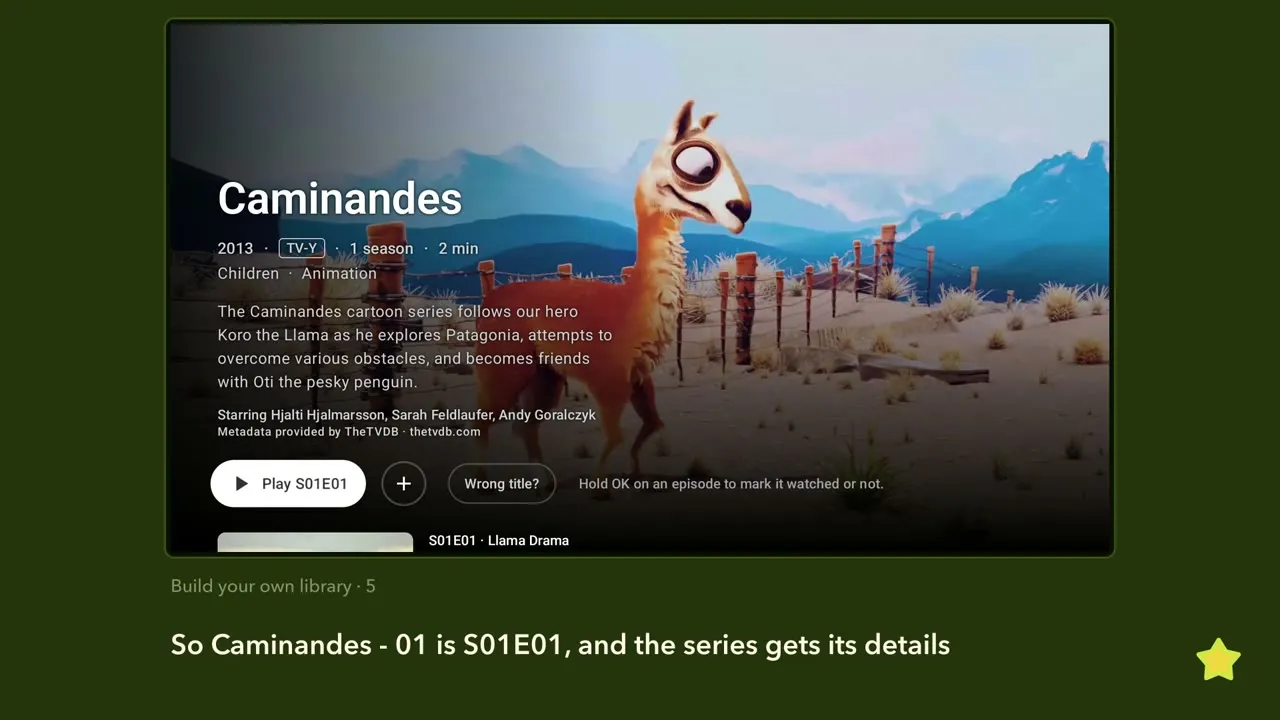
Anime/ One Piece/ One Piece - E1070 - Title.mkv One Piece - E1071 - Title.mkv Naruto/ Naruto - 001 - Enter Naruto.mkv Naruto - 002.mkv Frieren/ [SubsPlease] Sousou no Frieren - 03 (1080p) [ABCD1234].mkvA number is read as an episode in these names:
- After an
EorEp:One Piece - E1071.mkv, with or without an episode title after it. This is the safest spelling for a long run. The wordEpisodecounts on its own first in the name, after a season, in a fansub name or a season folder, or after a hyphen in a name with no year; anywhere else, as inOne Piece Episode 1071.mkvorOne Piece (1999) - Episode 1071.mkv, it counts like a number after the title, below. - Zero-padded after a hyphen:
Naruto - 001.mkvorNaruto - 001 - Enter Naruto.mkv. - In a fansub name, one with the group in square brackets in front:
[Group] One Piece - 1071 [1080p].mkv,[Group] Show - 12v2.mkvor[Group][Show][03][1080p].mkv. A checksum in brackets is ignored. - A plain number after a hyphen, like
One Piece - 1071.mkv, when the folder holds at least three numbers in a row. With an episode title after the number,One Piece - 1071 - Romance Dawn.mkv, or with the number right after the year,One Piece (1999) - 1071.mkv, the numbers must also be zero-padded or all 10 and up, soSaga - 1 - Title,2and3andSequel (2010) - 1,2and3stay films. A loneRocky - 3.mkvstays a film. - Numbers after the title with no hyphen (
Frieren 01,Frieren 02,Frieren 03) or after the wordEpisode(One Piece Episode 1071) when at least three in a row sit in one folder and are zero-padded or all 10 and up, soToy Story 1,2and3andStar Wars Episode 4,5and6stay films. - A bare number in the show’s folder, of any width (
One Piece/1071.mkv,1072.mkv,1073.mkv), when at least three in a row sit there. One or two on their own are not episodes, and a year (2001.mkv) never is.
Keep a run out of season folders.
A show whose names give a season is not split into seasons by count, with one exception: a run kept in a Season 1 folder, the show’s only season, when most of its numbers are past the first season’s episodes once the series is matched, so Season 1/One Piece - 1071.mkv is put into its real season.
Only the files that take their season from the folder alone move: a name that gives its own season, like Show.S01E30.mkv, stays as named.
A Season 1 folder whose numbers mostly fit the first season stays season 1 as named.
Putting a run into its seasons needs the online lookup on for the source and the series matched; with it off, the run is listed as it is.
Creditless openings and endings (NCOP, NCED) are left out of the episodes.
Two titles with the same name
Section titled “Two titles with the same name”A remake or a reboot needs telling apart, and the year does it:
Movies/ Dune (1984)/ Dune (1984).mkv Dune (2021)/ Dune (2021).mkvTV Shows/ Doctor Who (1963)/ Doctor Who (2005)/- Names with different years are different titles. A show whose seasons carry different years, like
The.Boys.2019.S01E01andThe.Boys.2022.S03E01, stays one show, because a remake starts again at season 1. - A name with no year joins the one title of that name when there is only one. When there are two years, the name with none is a third title, so give every copy its year.
- A country in brackets,
The Office (US), stays part of the title.
An id in the name
Section titled “An id in the name”An id written into the name beats any guess from the title, and is the surest fix for a title matched wrong:
Dune (2021) {tmdb-438631}/The Matrix (1999) [imdbid-tt0133093]/Severance (2022) [tmdbid-95396]/{tmdb-…}as Plex writes it, and[tmdbid-…]and[imdbid-tt…]as Jellyfin and Emby write them, are read, with a hyphen or an equals sign.- A TMDB or IMDb id is looked up directly. A TheTVDB id,
[tvdbid-…], only helps pick the right title among the ones a search finds. - The id counts on the file, or on the folder that names the title, not on a folder above it that holds many, such as a collection.
- An IMDb or TMDB id in an
.nfofile beside the video counts the same way (posters and descriptions from your own files).
What goes under Other videos
Section titled “What goes under Other videos”A video whose name and folders don’t say what it is is kept under Other videos, never dropped and never guessed into a series:
- extras: anything in a folder called
Extras,Featurettes,Trailers,Behind the scenes,Deleted scenes,Interviews,Shorts,Bonus,SampleorSamples, and files namedtrailer,sample, or ending in-trailer,-sampleor-featurette; - videos a camera or phone named, like
IMG_2041.mp4,PXL_…,VID_…, or a date with a time of day; - a file in a season folder with no episode number, and a season pack’s name with no episode, like
Show.S01.COMPLETE.mkv; - a lone number, like
01.mkvalone in a folder or a pair of them, which could be anything. Three numbered in a row in a show’s folder (01.mkv,02.mkv,03.mkv) are its episodes.
A folder called Movies, Films, TV, TV Shows, Series, Shows, Anime, Videos, Downloads or Media never names a title, and names starting with a dot are hidden.
When it is still wrong
Section titled “When it is still wrong”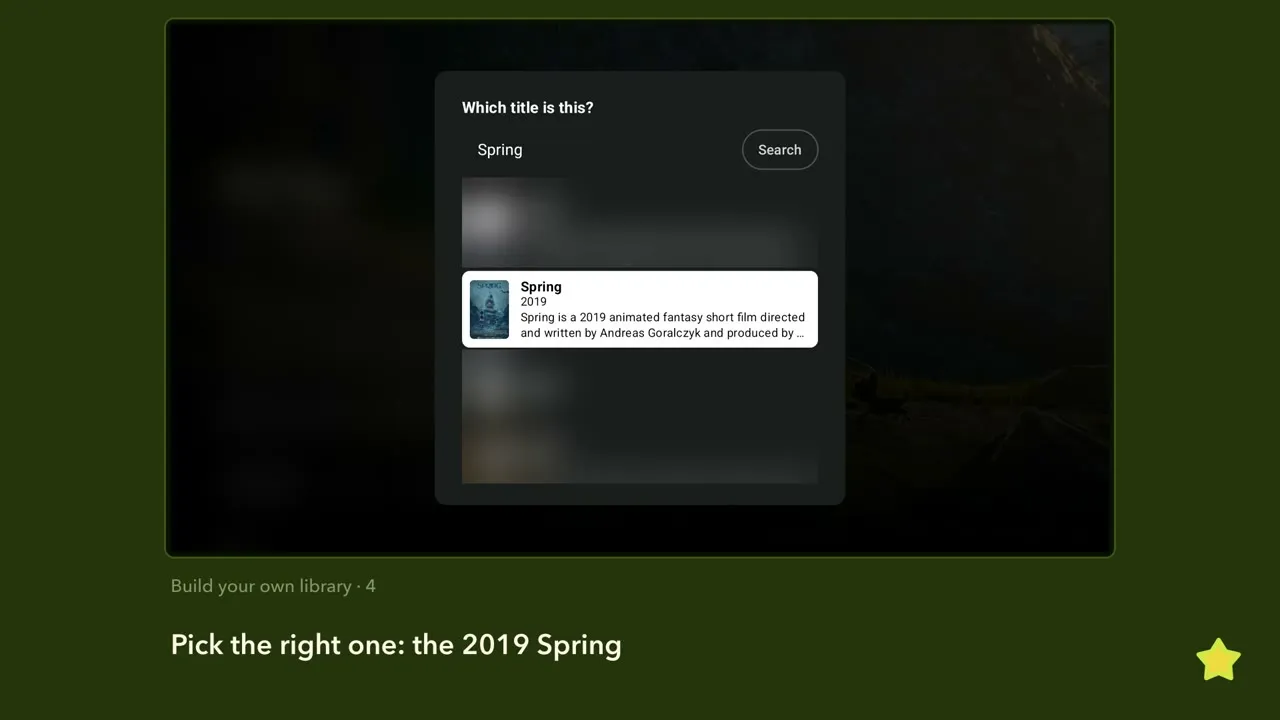
- Renamed something? Choose Rescan in Browse, and the library reads the new names.
- Matched to the wrong title? On the title’s page, choose Wrong title?. It opens Which title is this?, which searches for the title as your files name it; change the words if you need to, then pick the right one. None of these: use the file names drops the match. Your pick stays: no Rescan or later lookup changes it. Where it is on a TV, a phone and a tablet is in Wrong title?.
- Nothing found? Find this title on the page opens the same search. “Nothing found. Try another spelling, or the title in another language.” means the search had no answer for those words.
Limits
Section titled “Limits”- Names are read as they are; the app never renames or moves your files.
- Only the extras folders and suffixes listed above are recognised. Other Plex suffixes (
-behindthescenes,-deleted,-interview,-scene,-short,-other) and Jellyfin’sClips,ScenesandOtherfolders are not treated as extras. - A season folder in other words, such as
Staffel 1orSeries 1, is not read as a season. - A run of fewer than three numbers in a row is not read as episodes, and nor is a run under 10 with no zero-padding and an episode title after each number (
Show - 1 - Title.mkv); writeShow - E01 - Title.mkv. - Episode
.nfofiles and your own episode pictures are not read yet. A film’s and a show’s are.
Try it
Section titled “Try it”Install Yonto Player on Android TV, add your NAS, drive or folder as a source, and open Browse.
Apart from a small demo library of open films and how-to clips, Yonto Player provides no content. Plex, Jellyfin, Emby, Kodi, TMDB, IMDb and TheTVDB are trademarks of their owners, and Yonto Player is not affiliated with or endorsed by them.
Questions
How should I name TV show files so they are recognised?
Give the show a folder with its title and year, a folder per season, and put the season and episode in each file's name: Breaking Bad (2008)/Season 01/Breaking Bad - S01E01 - Pilot.mkv. S01E01, 1x01 and Season 1 Episode 1 are all read, and the quality tags after it are ignored.
How do I name anime episodes that are numbered in one long run?
Keep them in the show's folder with no season folder and write the number after an E: One Piece - E1071.mkv. One Piece - 1071.mkv, One Piece - 1071 - Title.mkv, One Piece (1999) - Episode 1071.mkv and a bare 1071.mkv work too when the folder holds at least three numbers in a row. Once the series is matched online, Yonto Player puts each number into its season by how many episodes each season has, and the files keep their names.
Why is my show matched to the wrong title?
Usually because two titles share a name, such as a remake. Add the year to the folder, Dune (2021), or a TMDB id such as {tmdb-438631}, or choose Wrong title? on the title's page and pick the right one; your pick stays through every rescan.
Do I need Plex, Jellyfin or Emby to get a library with posters from my files?
No. Yonto Player reads the file and folder names on an SMB or WebDAV share, a USB drive or a cloud drive itself, groups them into Films and Series, and looks up posters and descriptions online for free. Files named the way Plex, Jellyfin and Emby ask for are read the same way.
Do quality tags like 1080p or BluRay in a file name matter?
No. Resolutions, sources, codecs, audio formats, HDR tags, language tags and the release group after them are ignored, so Heat.1995.1080p.BluRay.x264-GRP.mkv is the film Heat from 1995.
Why does a video end up under Other videos?
Its name and folders don't say what it is: a camera's file name, a trailer, a sample, an extra in an Extras folder, or a lone number such as 01.mkv. Rename it with its title, or a season and episode, then choose Rescan in Browse.