
Plex is ending TheTVDB support: anime and absolute episode order
Plex says TheTVDB stops working as a metadata source in Plex on December 3, 2026, which matters most to anyone whose shows are numbered in one long run, as a lot of anime is, or ordered by TheTVDB’s seasons. This page says what Plex itself says, what you can do in Plex, and what Yonto Player does with the same files, so you can pick what fits. Everything about Plex here is as of 2026-11-23.
What Plex announced
Section titled “What Plex announced”Plex posted Upcoming Change: TheTVDB Metadata Support Ending on December 3rd on its forum on November 20, 2026. In Plex’s words, from December 3, “TheTVDB will no longer be available as a metadata source”, because Plex “weren’t able to reach terms” with the company that owns TheTVDB. What the post says, in short:
- Your libraries are not changed. “We won’t change any of your existing libraries”: settings, shows and the metadata you have stay.
- TheTVDB ordering stops updating. Libraries and shows set to TheTVDB episode ordering get no more updates from TheTVDB, so a show still airing gets no details for its new episodes and seasons from there. Plex says it will try to match new titles with its other sources.
- The legacy TheTVDB agent stops working, and new shows or episodes are not matched with it.
- Shows that have ended are mostly unaffected, since their metadata is already complete.
- Alternate orders, such as DVD or absolute order, get TMDB episode groups in a future release, with details to come.
What you can do in Plex
Section titled “What you can do in Plex”These are the steps Plex gives, plus one that needs no setting:
- Switch to TMDB ordering. Edit the library, open Advanced, and set Episode ordering to The Movie Database. A show can have its own setting under its own Advanced, and Plex notes that a show’s setting overrides its library’s, so check both.
- Leave alternate-order shows on TheTVDB for now. Plex says a show that depends on an alternate order may stay on TheTVDB until episode groups arrive; it keeps its metadata, without TheTVDB’s updates.
- Rename to seasons. A show whose files are named
S21E01and on, in the seasons TMDB lists, does not depend on an alternate order at all. It is the most work and the most robust.
For a finished show, doing nothing may be fine, since Plex says its metadata is already complete. For a long show still airing, numbered in one run, the gap is between December 3 and whenever episode groups ship.
What Yonto Player does with the same files
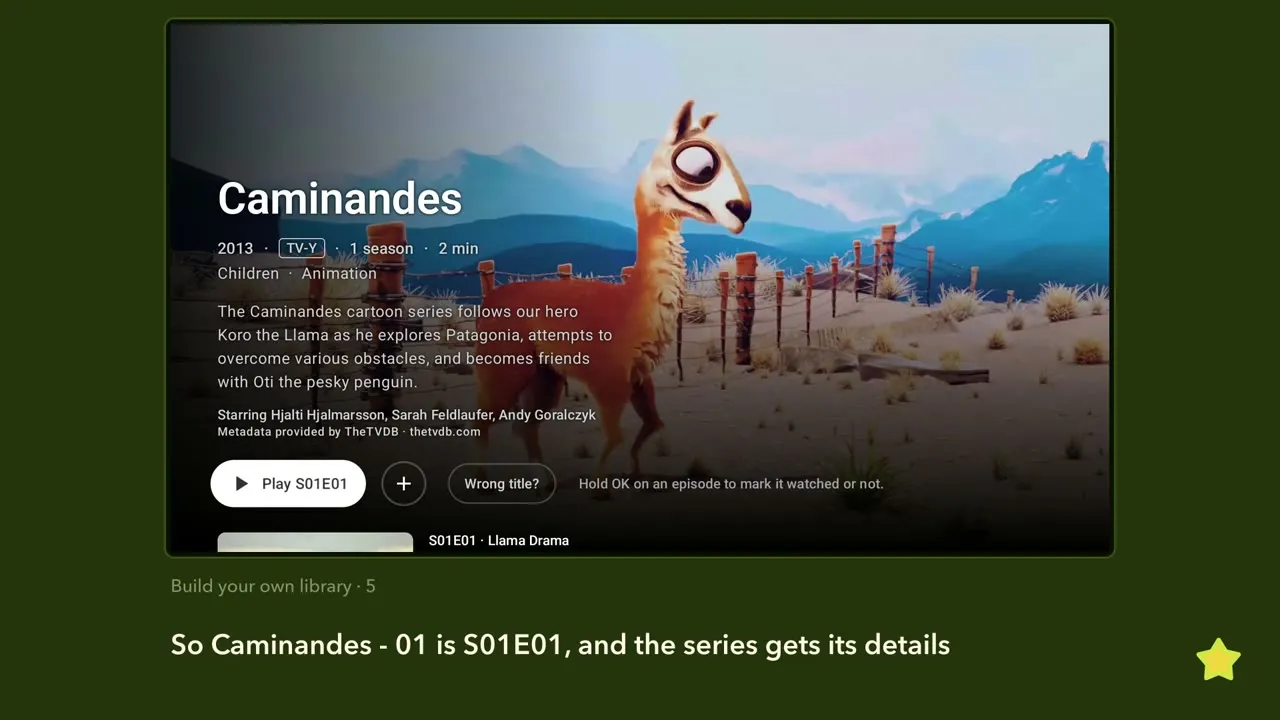
Section titled “What Yonto Player does with the same files”Yonto Player is a video player for Android TV, phones and tablets, Windows, Mac and Linux, with the iPhone, iPad and Apple TV apps coming soon. It can read your video files straight from the NAS share, USB drive or cloud drive they are on, with no media server, and make its own library of Films and Series from the file and folder names (play video files from a NAS or USB drive). For a show numbered in one run, that library does three things:
- It reads the run as one show.
One Piece - E1070.mkv,One Piece - E1071.mkvand the rest, in the show’s folder with no season folder, are one series. - It places each number into its season. Once the series is matched online, it asks how many episodes each season has and puts each number where it falls, so E1071 is listed in its season with its number there. The files keep their names, and what you watched stays watched.
- It lists what is missing. Under the episodes, a line such as Not in your files: S21E03–E09 names the episodes the seasons have and your files don’t.
Some honest limits:
- The seasons come from our lookup. It is answered by Yonto’s own service, whose provider is TheTVDB today and is credited on the title page and in About. If you type your own TMDB key under Settings > Metadata, TMDB’s seasons are used instead. Either way it is free, and it can be turned off per source; with it off, a run is listed as it is, not in seasons.
- A Plex, Jellyfin or Emby source is shown as the server numbers it. Yonto Player reads those servers’ own metadata and does not renumber their episodes. To have Yonto Player place a run into seasons itself, add the folders your server reads as a files source too, over SMB or WebDAV. That is a second source, which needs Pro; a files source on its own is free.
- Numbers the seasons don’t reach stay in the run, such as episodes newer than the lookup knows.
- Keep a run out of season folders. A run kept in a single
Season 1folder is placed too once most of its numbers are past the first season (Yonto Player 5.6.0 or newer).
Naming a run so it is read
Section titled “Naming a run so it is read”The safest spelling is the number after an E: One Piece - E1071.mkv, with or without an episode title after it.
One Piece - 1071.mkv works too when nothing follows the number and the folder holds at least three numbers in a row, as do zero-padded numbers (Naruto - 001.mkv) and fansub names ([Group] One Piece - 1071 [1080p].mkv).
From Yonto Player 5.6.0, a bare number, like One Piece/1071.mkv, is read as an episode too, and so are One Piece - 1071 - Title.mkv and One Piece (1999) - Episode 1071.mkv, where the show’s own folder holds at least three numbers in a row; for the last two, the numbers must also be zero-padded or all 10 and up.
Otherwise, or on an older version, rename them with an E.
How to name movie and TV show files has every name it reads, with folder trees to copy.
Try it
Section titled “Try it”Get Yonto Player from the download page, add your NAS share, drive or folder as a source, and open Browse. It can sit beside Plex: it reads your files where they are and never renames or moves them.
Apart from a small demo library of open films and how-to clips, Yonto Player provides no content. Plex, TMDB, Jellyfin, Emby and TheTVDB are trademarks of their owners, and Yonto Player is not affiliated with or endorsed by them.
Questions
When does Plex stop supporting TheTVDB?
Plex says TheTVDB will no longer be available as a metadata source from December 3, 2026, in an announcement on its forum dated November 20, 2026. Plex says your existing libraries and metadata are not changed, but shows set to TheTVDB ordering stop getting updates from TheTVDB.
What should I do in Plex about anime in absolute order?
Plex suggests switching Episode ordering to The Movie Database in the library's or the show's Advanced settings. For shows that depend on an alternate order such as absolute, Plex says a future release adds TMDB episode groups, and that until then those shows may stay on TheTVDB, keeping their metadata without new updates from TheTVDB.
Can another app put One Piece episodes numbered in one run into seasons?
Yonto Player can, for files it reads straight from a NAS share, a USB drive or a cloud drive. Once the series is matched online it places each number, such as One Piece - E1071.mkv, into its season by how many episodes each season has, lists the episodes your files are missing, and never renames a file.
Does Yonto Player change how a Plex server numbers episodes?
No. A Plex source in Yonto Player shows the episodes as your Plex server numbers them. To have Yonto Player place a long run into seasons itself, add the folders the server reads as a files source too, over SMB or WebDAV.
How should I name anime episodes numbered in one long run?
Keep them in the show's folder with no season folder and write the number after an E: One Piece - E1071.mkv. A bare 1071.mkv is read as an episode too, where the show's own folder holds at least three numbers in a row (Yonto Player 5.6.0 or newer).